5 Repos to Slash Claude Code Token Usage
Hitting rate limits mid-session? Blowing through your team's API budget? Watching Claude re-read the same files? It all comes down to input tokens. A dev tracked 100 million tokens and found that 99.4% of all Claude Code tokens are input tokens (BSWEN, 2026). Claude reads 166x more than it writes.
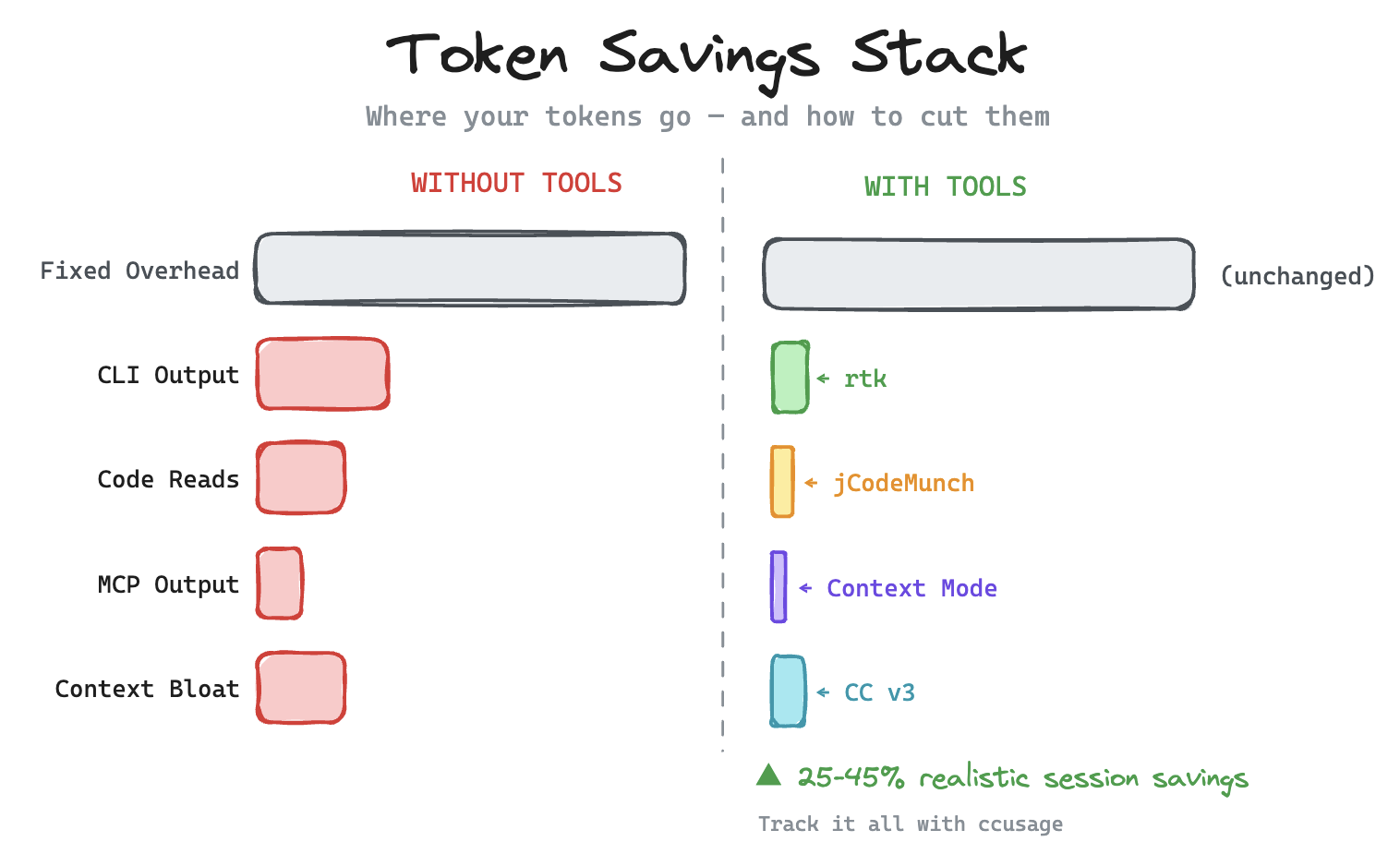
Five open-source repos cut that waste by 60-98% at the tool layer. Realistic token savings per session: 25-45%, since fixed overhead (system prompt, tool definitions) is unchanged per call.
This post covers those five repos, then the workflow practices that compound on top of them.
Key Takeaways
- 99.4% of Claude Code tokens are input tokens — that's where the waste is
- Five repos cut that waste by 60-98% at the tool layer
- Realistic token savings per session: 25-45% (system prompt and tool definitions are fixed per call)
- Tooling sets the ceiling, workflow practices set the floor — both matter
#1 rtk
A single Rust binary sits between Claude Code and your shell (I covered my terminal setup with tmux and Claude Code previously), filtering command output before it reaches the context window. According to rtk's own estimates, this approach reduces token consumption by 60-90% on common dev commands with less than 10ms overhead (rtk-ai/rtk on GitHub). These are tool-layer numbers; session-level impact depends on how CLI-heavy your workflow is.
GitHub: rtk-ai/rtk | Language: Rust | License: Apache 2.0
What rtk Does
Every time Claude runs ls, git diff, cat, or npm test, rtk intercepts the raw output. It strips ANSI codes, boilerplate, and noise. Only the relevant parts pass into the context window.
- Filters irrelevant output from 20+ common CLI tools
- Compresses test output to failures and summaries only
- Strips binary content and oversized file listings
- Works immediately with Claude Code, no configuration needed
Token Savings in a 30-Minute Session
| Operation | Standard Tokens | With rtk | Savings |
|---|---|---|---|
cat / file reads (20x) | 40,000 | 12,000 | -70% |
npm test / pytest (5x) | 25,000 | 2,500 | -90% |
git diff (5x) | 10,000 | 2,500 | -75% |
grep / rg (8x) | 16,000 | 3,200 | -80% |
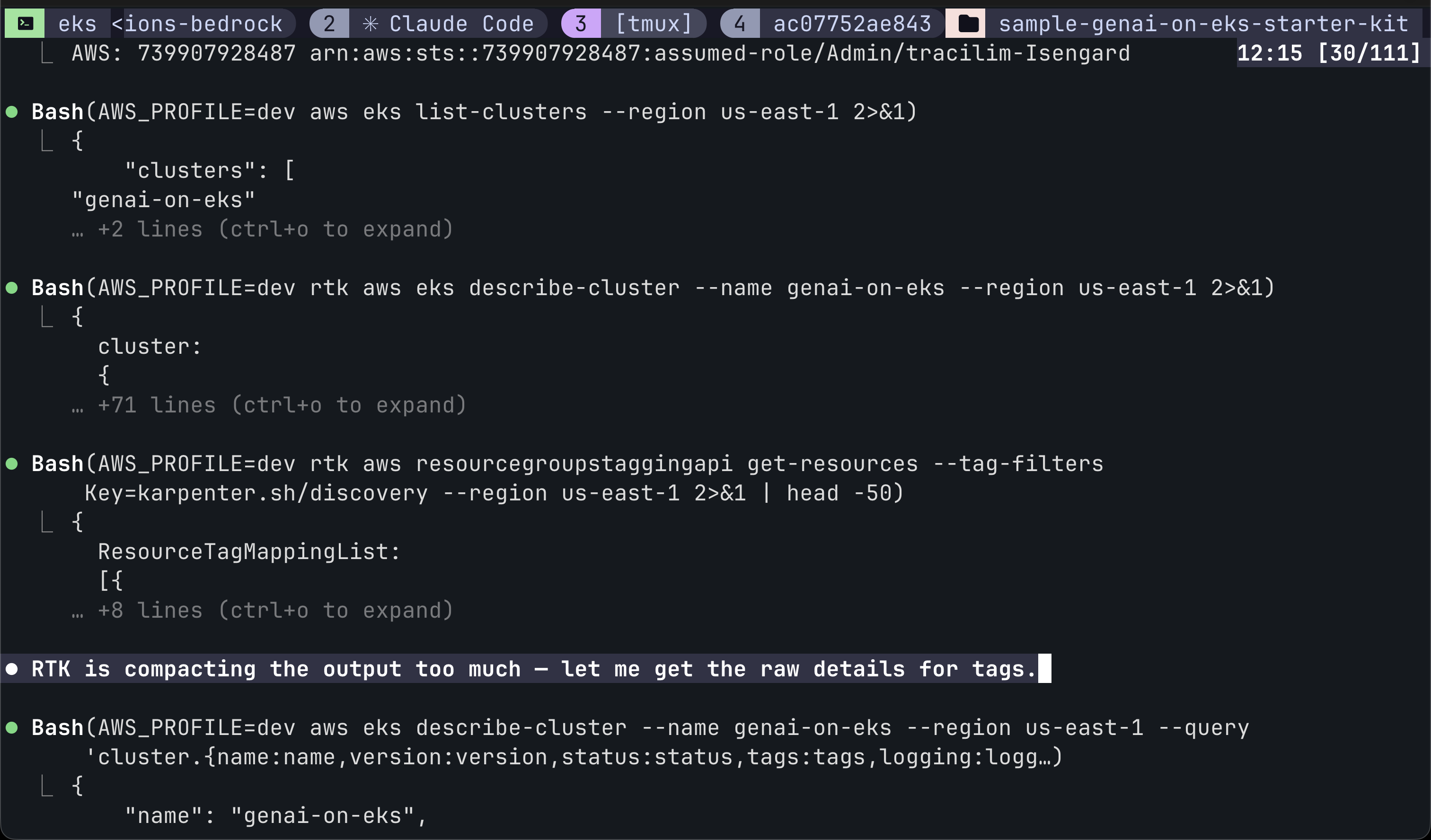
If you do nothing else on this list, install rtk. It targets the single largest source of token waste: raw CLI output.
#2 ccusage
You can't optimize what you can't measure. Most developers who run ccusage for the first time discover that a handful of sessions are responsible for most of their cost — typically long debugging conversations where Claude re-reads the same files repeatedly.
GitHub: ryoppippi/ccusage | Language: TypeScript | License: MIT
What ccusage Shows You
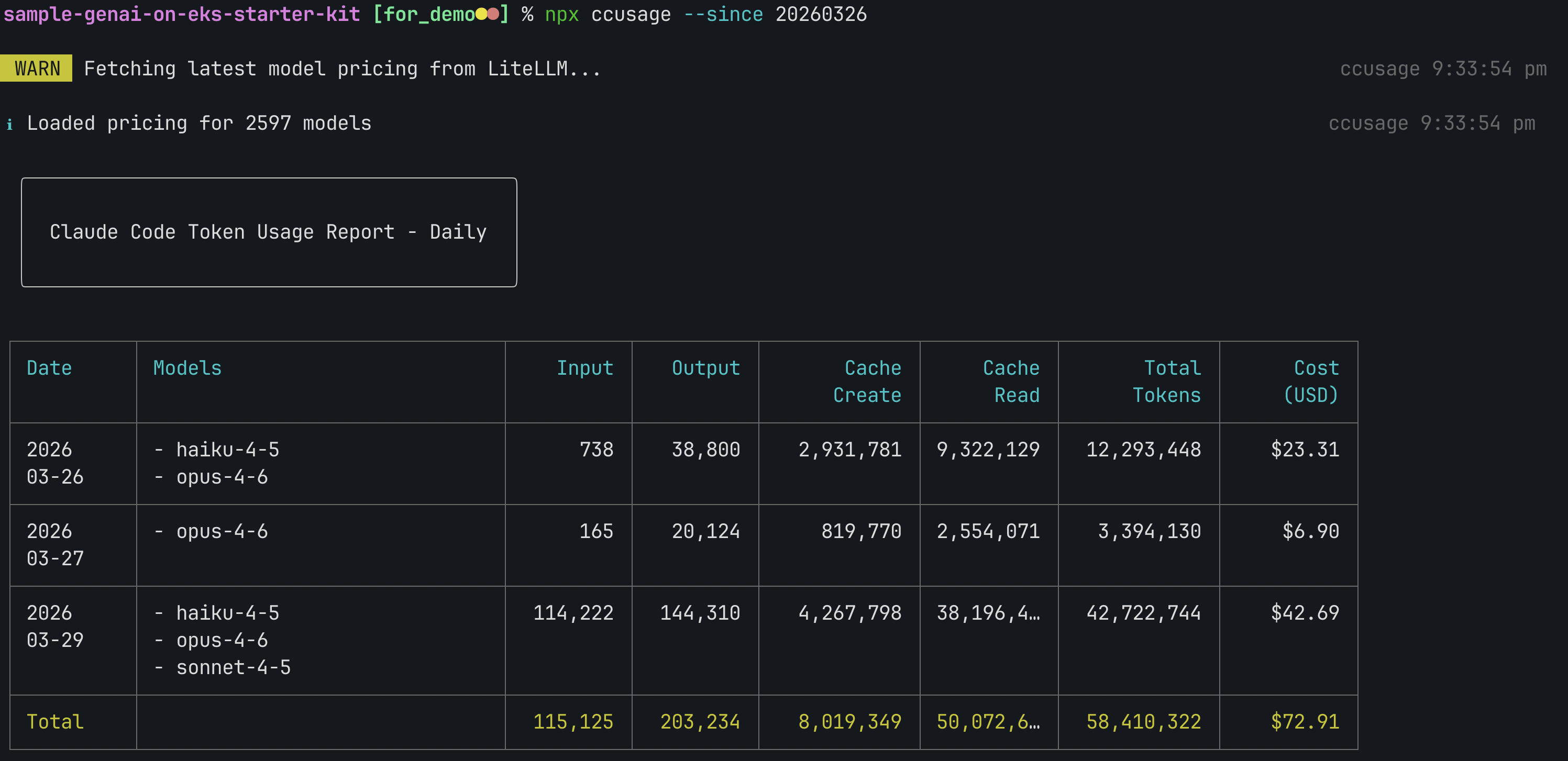
This CLI tool reads your local Claude Code session logs and produces clear usage reports. No API keys or configuration required.
- Input/output token breakdown per session
- Cost estimates over time
- Which conversations burned the most tokens
- Cache hit rates (are you actually benefiting from prompt caching?)
- Usage trends across days and weeks
How to Use It
Run npx ccusage and it immediately analyzes your local session history. Most developers who try it discover that one or two sessions are responsible for 80% of their total cost. Once you can see the waste, you know where to focus.
#3 Context Mode
MCP tool calls dump raw data into your context window — a single Playwright snapshot costs 56 KB. Context Mode sandboxes these outputs before they enter the window, compressing them by up to 98% at the tool layer (mksglu/context-mode on GitHub).
GitHub: mksglu/context-mode | Language: TypeScript | License: ELv2
The Two Problems It Solves
Context Mode addresses both halves of the context problem. First, it sandboxes tool outputs so raw data never enters your context window. Second, it tracks every file edit, git operation, task, and error in a local SQLite database. When Claude compacts the conversation, Context Mode doesn't lose state. It indexes events into a full-text search index and retrieves only what's relevant using ranked keyword matching.
How It Works
- Compresses MCP tool outputs by up to 98% before they hit context
- Tracks session state in SQLite so compaction doesn't erase progress
- Supports
--continueto resume previous sessions with full state - Works with any MCP tool (Playwright, GitHub, databases, APIs)
- Install via Claude Code plugin marketplace or
npx context-mode
The difference between this and a simple caching layer is scope. Context Mode doesn't just cache file reads. It compresses every tool interaction and maintains session continuity across compactions.
#4 Continuous-Claude-v3
Rather than compressing tokens after the fact, Continuous-Claude-v3 prevents context pollution through hooks, ledgers, and handoffs. It's one of the most popular context management frameworks for Claude Code on GitHub (parcadei/Continuous-Claude-v3).
GitHub: parcadei/Continuous-Claude-v3 | Language: Shell/Markdown | License: MIT
How It Works
Three mechanisms, each targeting a different cause of context bloat:
- Ledger — logs what Claude has already done so it doesn't re-read files or re-explore code it already understands.
- Handoff — when a conversation gets long, it generates a compressed summary that seeds a fresh session with full knowledge but none of the bloat.
- Isolated execution — MCP tool calls run in separate context windows so their output stays out of the main conversation.
#5 jCodeMunch
Do you know that Claude Code does not pre-index your codebase or use vector embeddings? It relies on filesystem tools — Glob for file pattern matching, Grep for content search, and Read for loading full files — to explore code on demand. Anthropic calls this "agentic search." Anthropic engineer Boris Cherny has said that "agentic search out-performed RAG for the kinds of things people use Code for" (Hacker News, 2025). That may be true for accuracy — but it's expensive. Meanwhile, Cursor, Kiro, and Windsurf all support codebase indexing out of the box. Every Read call costs 500-5,000 tokens per file, and Claude often reads far more files than it needs to.
That's where jCodeMunch comes in. In a reproducible benchmark across Express, FastAPI, and Gin, it reduced code-reading tokens by 95% aggregate, with per-query savings ranging from 79.7% to 99.8% (jgravelle/jcodemunch-mcp on GitHub).
GitHub: jgravelle/jcodemunch-mcp | Language: Python | License: Free for personal use
How Symbol-Level Retrieval Works
jCodeMunch indexes your codebase once using tree-sitter (a parser that understands code structure, not just text), then lets Claude retrieve only the exact code it needs: functions, classes, methods, constants. Instead of reading a 700-line file to edit one function, Claude reads the 30 lines that matter.
| Scenario | Native Tool | With jCodeMunch | Savings |
|---|---|---|---|
| Edit one function (700-line file) | Read full file | get_symbol_source exact function | ~95% |
| Understand a module | Read entire content | Pull outlines + signatures | ~80% |
| "What breaks if I change X?" | Not possible | get_blast_radius | Unique |
What Sets It Apart
This isn't just faster grep. jCodeMunch provides structural queries that native tools can't answer: find_importers shows what imports a file, get_blast_radius tells you what breaks if you change a symbol, get_class_hierarchy traverses inheritance chains, and find_dead_code locates unreachable symbols.
- Indexes locally for fast repeated access across sessions
- Ranked keyword search with fuzzy matching and optional semantic search
- Token-budgeted context assembly (
get_ranked_context) - Git-diff-to-symbol mapping so Claude knows exactly what changed
- Auto-reindexes via file watch, with Claude Code worktree discovery
- Install with
pip install jcodemunch-mcpandclaude mcp add jcodemunch uvx jcodemunch-mcp, plus hooks setup for auto-indexing
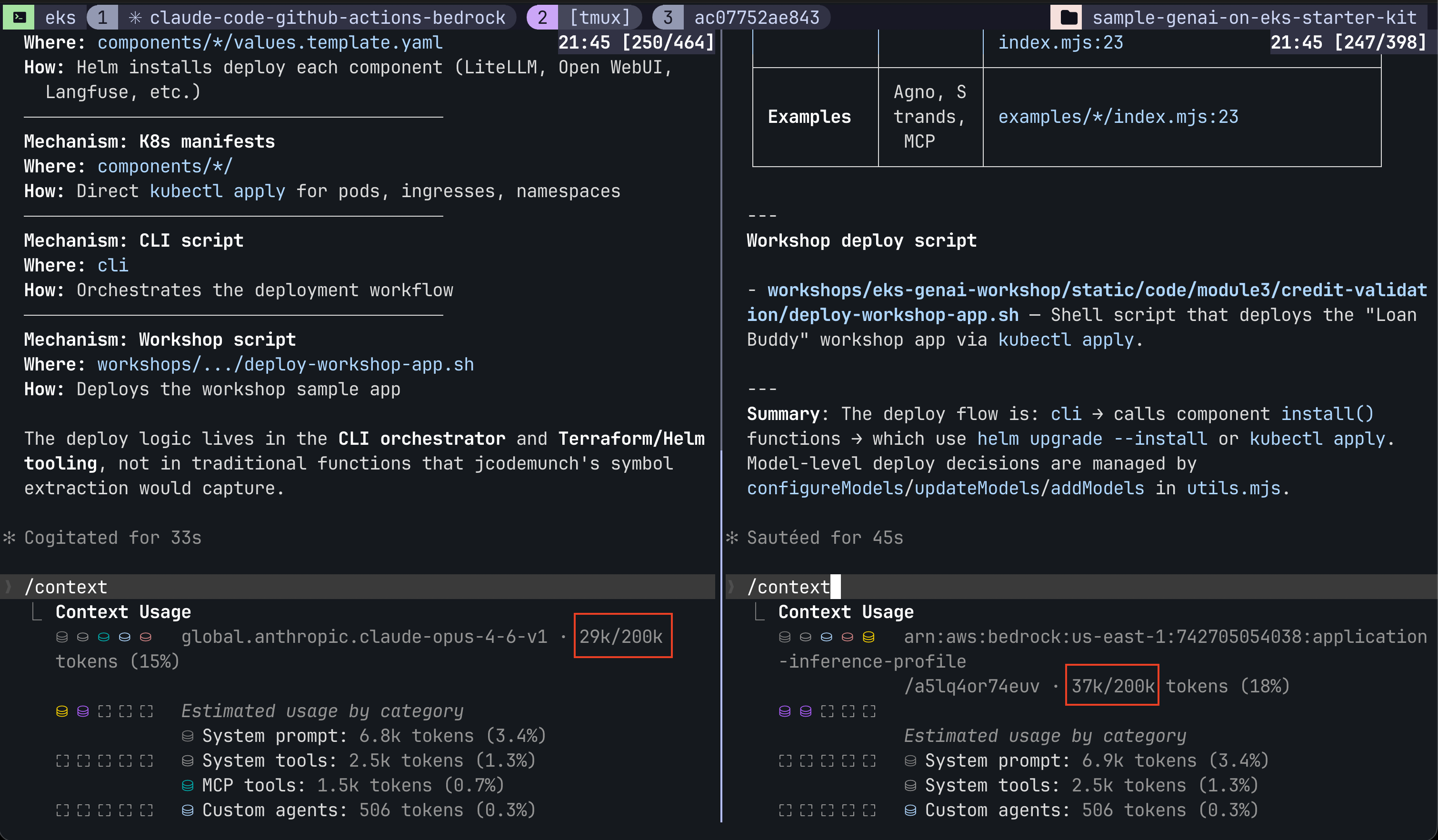
I've found jCodeMunch especially useful on large codebases where Claude Code's native agentic search gets expensive. Without it, Claude reads entire files just to find one function. With jCodeMunch, it pulls the exact symbol and moves on. An independent A/B test on a production Vue 3 + Firebase codebase found jCodeMunch improved success rates from 72% to 80% while reducing mean cost per iteration by 5.7% (jCodeMunch benchmarks).
jCodeMunch isn't alone — projects like Claude Context (Milvus), CocoIndex, and ast-grep all emerged to fill the same gap. Developers wanted indexing for Claude Code and built it themselves as MCP extensions.
Honourable Mention: claude-mem
The five repos above attack token waste within a session. claude-mem attacks it across sessions — compressing each transcript into semantic observations, then injecting a compact summary at the start of the next session (thedotmack/claude-mem on GitHub).
GitHub: thedotmack/claude-mem | Language: TypeScript | License: AGPL 3.0
I've just started running it — no strong verdict yet — but the architecture is the right shape for the problem the five tools above don't solve: cross-session semantic compression into a local SQLite + Chroma store, with Haiku-tier routing so the compression pipeline itself stays cheap. It's the first memory layer I've seen that treats token cost of the memory system as a first-class concern.
Tips for Token Optimization
- Run
/claude-mem:mem-searchbefore re-investigating. Searching memory costs a few hundred tokens; re-reading files and re-deriving a past fix costs thousands. - Enable tier routing (
CLAUDE_MEM_TIER_ROUTING_ENABLED: true,CLAUDE_MEM_TIER_SIMPLE_MODEL: haiku). Simple memory ops route to Haiku instead of Sonnet — cheaper compression pipeline. - Keep
CLAUDE_MEM_CONTEXT_FULL_COUNTat0. Only the compact summary is injected at session start, not full prior transcripts.
How Do These 5 Repos Compare?
| Tool | Approach | Layer | Tool-Layer Savings | Est. Session Impact | Setup |
|---|---|---|---|---|---|
| rtk | CLI output compression | Shell | 60-90% | 15-40% | One command |
| ccusage | Usage tracking and analysis | Analytics | N/A (visibility) | Indirect | One command |
| Context Mode | MCP tool output compression | MCP | Up to 98% | 20-50% | One command |
| Continuous-Claude-v3 | Hooks, ledgers, handoffs | Context | Varies | Varies | Moderate |
| jCodeMunch | Tree-sitter symbol retrieval | File I/O | 95% on code reads | 15-25% | pip + hooks |
The table separates tool-layer savings from session impact because they're very different numbers. Each tool compresses its own category well (60-98%), but 50-75% of a session's tokens are system prompts, reasoning, and conversation history that no tool can touch. jCodeMunch's A/B test confirmed this: 95% tool-layer savings became 15-25% session savings (jCodeMunch benchmarks).
What's the Best Tool Stack for Maximum Savings?
For the biggest impact, layer these tools together. Each one targets a different source of token waste:
| Layer | Tool | What It Optimizes |
|---|---|---|
| Measure | ccusage | Know where tokens go |
| CLI output | rtk | Compress shell output |
| MCP tools | Context Mode | Compress all tool outputs |
| Context | Continuous-Claude-v3 | Prevent context pollution |
| Code reads | jCodeMunch | Symbol-level retrieval, not full files |
No single tool will cut your bill in half. But layered together, these tools can realistically reduce total session token usage by 25-45%. If you're on the API, that translates directly to lower bills. If you're on Pro ($20/month) or Max ($100-200/month), the savings show up differently: fewer rate limit hits, longer sessions before Claude slows down, and more usable context window for the work that actually matters.
Beyond Tooling: Practices That Compound
Repos handle the mechanical side. But the biggest variable in any Claude Code session is you — how you scope work, how you prompt, and how well you understand what's happening under the hood. The community is increasingly focused on this side of the equation. Here are three posts worth bookmarking — Akshay Pachaar on the anatomy of .claude/, Matt Pocock's viral skills repo, and Boris Cherny (Anthropic) on hidden Claude Code features:
Anatomy of the .claude/ folder pic.twitter.com/link
— Akshay Pachaar (@akshay_pachaar) March 21, 2026My 'grill-me' skill went viral. mattpocock/skills is up to 9K stars. Quote tweets of it are doing numbers.
It's the most useful skill I've written, and I use it even outside of coding: pic.twitter.com/hQXPan9oBT
A bunch of my favorite hidden and under-utilized features in Claude Code pic.twitter.com/link
— Boris Cherny (@bcherny) March 27, 2026These built-in practices can make a real dent on their own, according to Anthropic's cost management guide:
- Write a good
CLAUDE.md. A well-structured file at your project root tells Claude where things are and what to ignore. This prevents the exploratory reading that burns thousands of tokens per session. I share how I structure mine in my terminal setup post. - Be specific in your prompts. "Fix the auth bug in
src/auth/login.tsline 42" costs far fewer tokens than "fix the login bug," which triggers Claude to search your entire codebase. - Use
/compactafter every milestone. It compresses the context window and frees up space. Anthropic recommends this as a primary cost control. - Delegate to subagents. Exploratory work runs in isolated context, keeping your main conversation clean. If you're new to Claude Code's agent system, see my getting started guide.
- Start fresh sessions for new tasks. Don't reuse a bloated conversation. A new session with a good CLAUDE.md starts clean.
Tooling sets the ceiling. These practices set the floor. Stack both and the 25-45% session savings become realistic.
Frequently Asked Questions
Do these tools work with the Claude Code Max subscription?
Yes. All five repos work with any Claude Code billing model: API, Pro, or Max. On subscription plans, reducing token usage helps you stay under rate limits rather than reducing dollar costs directly. On API plans, the savings translate directly to lower bills.
Can I use all five tools at the same time?
You can. They operate at different layers (shell, MCP, context, code retrieval) so they don't conflict. Start with rtk and ccusage for the biggest immediate impact, then add Context Mode and jCodeMunch as needed.
Which single tool saves the most tokens?
It depends on your workflow. rtk has the biggest impact in CLI-heavy sessions (running tests, grepping, reading files). jCodeMunch shines on large codebases where Claude reads many files. Context Mode helps most when you're using lots of MCP tools. Start by identifying which input category dominates your sessions using ccusage.
Are there risks to compressing Claude's context?
Aggressive compression can occasionally strip useful information. rtk is designed to preserve error messages, stack traces, and test failure details while removing noise. If you notice Claude missing context, you can bypass rtk for specific commands.
Can these repos be used with Cursor, Codex, Kiro, or Windsurf?
Partially. rtk works at the shell level, so it applies to any tool that runs CLI commands. The MCP-based tools (jCodeMunch, Context Mode) work with any editor that supports MCP servers — Cursor, Codex, and Windsurf all do. Continuous-Claude-v3 relies on Claude Code hooks. ccusage only reads Claude Code session logs.
How do I know if these tools are actually working?
Install ccusage first. Run it before and after adopting each tool to measure the actual difference in your sessions. Real data beats claimed percentages every time.