How we run Schemes.sg with Notion
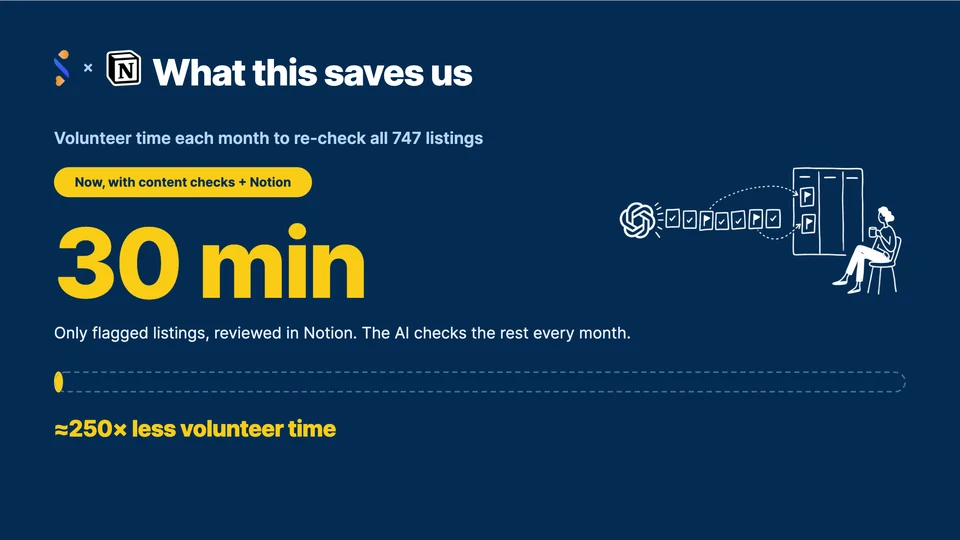
Re-checking 747 scheme listings by hand would cost our volunteers about 125 hours a month. Today it takes about 30 minutes, and the volunteers doing it never leave Notion.
That was one of the stories the Schemes.sg team shared in a talk we co-presented with Notion this month. This post walks through what we showed, and the full deck is below if you want the slides.
 How we run Schemes.sg with Notion
Open the deck
TL;DR
- One home for volunteers. Onboarding, tasks, notes and a review leaderboard live in one Notion Team Space, so volunteers can help themselves.
- Every contribution is visible. Our leaderboard has counted 476 reviews from 7 volunteers.
- Notion is a great human-in-the-loop UI. A frontier model flags what changed on our listings, and volunteers approve each change on a Notion board.
Who Schemes.sg serves
Schemes.sg helps people in a hard moment find the government and community schemes that fit them. They describe their situation in their own words, and we find the schemes that fit, link the official source, and say what to do next.
Social service professionals are one of our core demographics. Singapore has 2,738 registered social workers as of the end of 2025, and the wider sector employs over 22,000 people, including counsellors, therapists, psychologists and nurses.
Our goal has always been to serve them, so they can better serve residents and citizens.
Schemes.sg is built and run by better.sg volunteers, and the code is open source. I wrote about the technical side in rebuilding Schemes.sg around a tool-calling agent. This post is about the people side, where running on volunteer time gave us two problems.
Problem 1: volunteer time comes in bursts
Onboarding volunteers, planning their tasks and keeping them engaged used to take a lot of our time. Onboarding links were scattered across old pages, work was handed out one by one, and nobody tracked who reviewed what.
Part of the challenge is the nature of volunteering. Our volunteers practise episodic volunteering: they are generous with their time, but they give it in bursts. Someone is getting married, someone else has exams.
So a volunteer team rarely moves toward one deadline together. That is why our development cycles run slower than a startup's, or even an enterprise's. We could not change how volunteers give their time, so we designed around it.
One Notion home for self-serve work
We moved volunteer work into one Notion home, the Schemes.sg Team Space, and set it up for self-serve, asynchronous work:
- New volunteers start with an onboarding checklist and pick a role.
- Work sits on one task board, so anyone can pick up a task without asking.
- Meeting notes live in one place, so anyone can catch up.
We also cut work into bite-sized tasks. A volunteer with one free evening can still finish something useful.

We built most of the Team Space with Claude Code, connected to our workspace through the Notion MCP.
Short prompts like "Reorganise our team page for new volunteers" and "Build a review leaderboard. Make it fun." did most of the work. We checked every change.
A leaderboard that makes every review count
The main job in the Team Space is reviewing new schemes. Someone shares a link to a scheme, a GPT model fills in the listing, and a volunteer checks what the AI extracted.
Every review lands on a Notion leaderboard. It refreshes each morning, has levels from Rookie to Legend, and has a monthly column that resets on the 1st, so a new volunteer can top it in their first month. At the time of the talk it had counted 476 reviews from 7 volunteers.
Problem 2: keeping 747 listings accurate
Each listing says what the scheme gives, who qualifies, how to apply, and who to contact. People act on what we list, so stale content has a real cost.

Checking a listing by hand takes about 10 minutes. Doing all 747 every month would take roughly 125 volunteer-hours, so in practice it never happened.
A model checks, a volunteer decides
Now a frontier foundation model (FM) checks every listing on the 1st of each month. Anything that changed lands on a Notion board, the Content Check Table, as Pending.
A volunteer opens a flagged scheme and sees the new value, the old value, and a quote from the source page with a link to it. They set Approved or Rejected, and an hourly sweeper applies the result to Schemes.sg. The FM never publishes anything on its own.

Volunteers only ever work in Notion. They never touch Firestore, open GitHub, read a stack trace, or wait on an engineer.
The first full run flagged 9 listings, about 30 minutes of review. That is roughly 250 times less volunteer time than checking by hand.
This part surprised us most. We never built a review tool. A Notion board already gave us the queue, the status field and the detail view.
What we would tell other teams
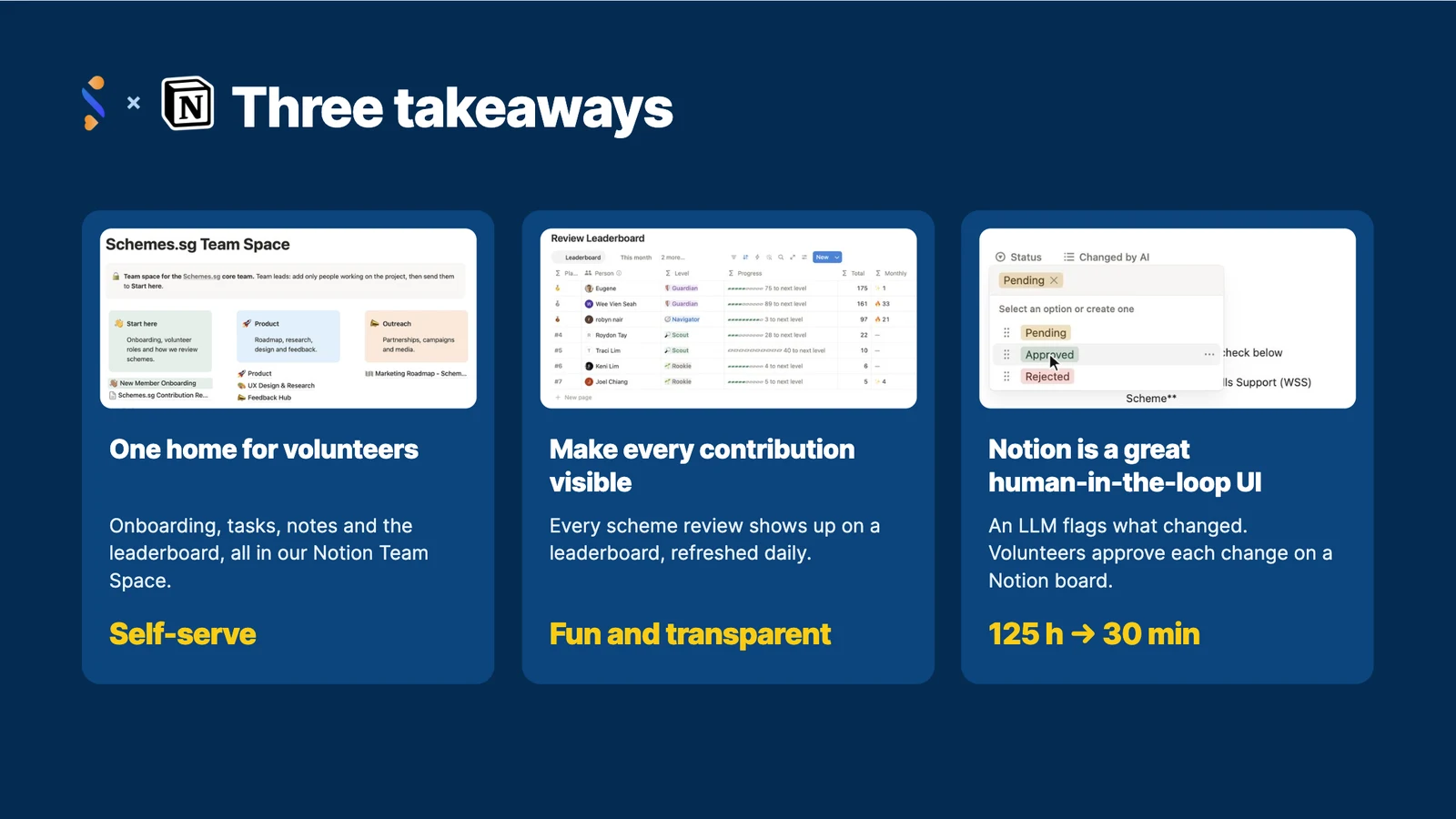
- Give volunteers one home. When everything lives in one place, people can help themselves.
- Make every contribution visible. A leaderboard made reviewing fun and transparent.
- Use Notion as your human-in-the-loop UI. Let the AI flag changes, and let people decide on a board they already know.
If you are exploring how Notion could fit your startup, organisation or enterprise, reach out to the Notion team. They were great to work with.
Thank you
It was a pleasure to work with Alan and Stephanie from Notion on this talk. Thank you to Alana from better.sg, to Roydon and Joel, and to every Schemes.sg contributor. The work in this talk is yours.
Know a public assistance scheme missing from our catalogue? Add it at schemes.sg/contribute.